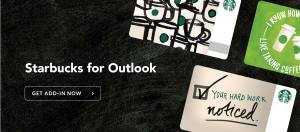
 Starbucks is now making it easy for Microsoft Outlook user to send Starbucks Gifts and if you send a $5 or more Starbucks Gift via the Microsoft Outlook add-in, you will receive a FREE $5 Starbucks Gift for yourself for a limited time. A Microsoft Outlook account is required, see full instructions here. Deal ends June 30, 2017, or while supplies last. Limit of one promotional $5 eGift per account.
To get this deal:
- Sign in to your Microsoft Outlook Account (or sign up for a new account)
- Download the Starbucks for Outlook Plug-in from the Microsoft Office Store
- Compose an email and click on the Starbucks icon (lower right-hand corner) to launch the add-in
- Select an eGift design, sign into your Starbucks account and make a purchase of a Starbucks eGift Card of $5 or more
- Send the email with the Starbucks $5 eGift card to yourself (with a different email address) or anyone
- Microsoft will send you a Free $5 Starbucks eGift Card within 72 hours
 cheapskat